'/%3e%3cpath%20id='Vector_2'%20d='M23.4134%2014.5948C24.0891%2013.9112%2024.7108%2013.1282%2025.2444%2012.3115C25.6968%2011.6199%2026.5564%2010.5256%2026.271%209.64115C26.1243%209.18538%2025.6449%209.03531%2025.2117%208.99582C18.6413%208.39678%2010.4183%2014.5598%205.41161%2020.3235C4.37146%2021.5205%203.17337%2022.7885%203.08087%2024.4627C2.96467%2026.5554%205.16793%2027.767%206.84548%2028.2905C9.10402%2028.9955%2011.7033%2029.1411%2014.0114%2028.5375C15.2671%2028.2093%2016.4291%2027.6993%2017.3993%2026.8374C17.8855%2026.4053%2018.304%2025.8999%2018.6289%2025.3359C18.8106%2025.0189%2018.6741%2024.6105%2018.3379%2024.4672C17.7332%2024.2088%2016.5994%2023.9291%2014.7323%2024.1727C14.4886%2024.2043%2014.5259%2024.1829%2014.4999%2023.9877C14.4762%2023.805%2014.4706%2023.5647%2014.465%2023.5308C14.4413%2023.3977%2014.5778%2023.4282%2014.791%2023.3955C17.5324%2022.9713%2020.5152%2022.3429%2022.6869%2020.521C23.137%2020.143%2023.5443%2019.7346%2023.8748%2019.2473C23.9786%2019.0938%2024.0745%2018.9359%2024.1636%2018.7746C24.3204%2018.4869%2024.2866%2018.1304%2024.0677%2017.8856C23.6537%2017.4231%2021.9276%2016.8782%2020.6844%2016.806L20.6901%2016.7563C20.8401%2016.5995%2021.1278%2016.4901%2021.3105%2016.3671C21.5441%2016.2092%2021.7708%2016.0434%2021.9919%2015.8685C22.4838%2015.4804%2022.961%2015.054%2023.4134%2014.5959V14.5948Z'%20fill='url(%23paint1_linear_20736_1314)'/%3e%3c/g%3e%3cdefs%3e%3clinearGradient%20id='paint0_linear_20736_1314'%20x1='5.04346'%20y1='5.86175'%20x2='5.04346'%20y2='18.9333'%20gradientUnits='userSpaceOnUse'%3e%3cstop%20stop-color='%236B4EFF'/%3e%3cstop%20offset='1'%20stop-color='%234F92F6'/%3e%3c/linearGradient%3e%3clinearGradient%20id='paint1_linear_20736_1314'%20x1='16.0608'%20y1='15.1348'%20x2='16.0608'%20y2='28.9146'%20gradientUnits='userSpaceOnUse'%3e%3cstop%20stop-color='%236B4EFF'/%3e%3cstop%20offset='1'%20stop-color='%234F92F6'/%3e%3c/linearGradient%3e%3c/defs%3e%3c/svg%3e)

How to Facilitate Events and Deliberation Projects with Agora
Agora does not replace face-to-face meetings, assemblies, workshops, or online events. It complements them.
The most important question is not only "Which tool should we use?" but "What kind of participation process are we designing?" Agora can support different moments in that process: listening, mapping disagreement, identifying common ground, crowdsourcing ideas, or prioritizing proposals.
A simple way to start is to ask whether you are using Agora for an event or for a longer deliberation project. Each use case calls for a slightly different setup.
The short version:
- Seed the conversation with a few clear statements that participants can agree or disagree with.
- Collect perspectives as participants vote on statements and add their own.
- Map the landscape by looking at opinion groups and points of disagreement.
- Find common ground by identifying bridging statements across groups.
- Turn insight into action with reports, summaries, and Prioritization Mode when the group needs a ranked list of proposals.
Choose your path:
Using Agora for Events and Conferences
For an event, Agora can be used as a real-time opinion mapping layer around a topic. It helps participants see the diversity of perspectives in the room, understand where people agree, and identify points of divergence that deserve further deliberation or debate.
This works especially well for panels, conferences, workshops, livestreams, and hybrid events where many people are listening but only a few can speak.
You can use Agora before, during, or after an event.
For a real event example, see Mapping Consensus on Blockchain in Conservation, where Agora was used during Tech4Nature's Blockchain Innovation Challenge Workshop to map participant perspectives in real time, surface areas of consensus, and identify the questions that deserved deeper discussion.
Before the Event
Prepare a few seed statements around the event topic. These statements should represent different perspectives that participants may hold.
If your event has speakers, you can use some of their arguments as seed statements. This helps connect the audience interaction directly to the substance of the event.
Good seed statements are:
- Easy to agree or disagree with
- Clear and specific
- Focused on one opinion per statement
- Diverse enough to surface different viewpoints
- Written as statements, not questions
For example, instead of asking:
"What do you think about AI in education?"
Use statements such as:
- "Schools should allow students to use AI tools if they clearly explain how they used them."
- "AI tools should be banned from graded writing assignments."
- "Every student should be taught how to evaluate AI-generated information."
Each statement expresses one opinion that participants can respond to.
During the Event
Invite participants to join the Agora conversation through a link or QR code. As people vote and add their own opinions, Agora begins to map patterns of agreement and disagreement.
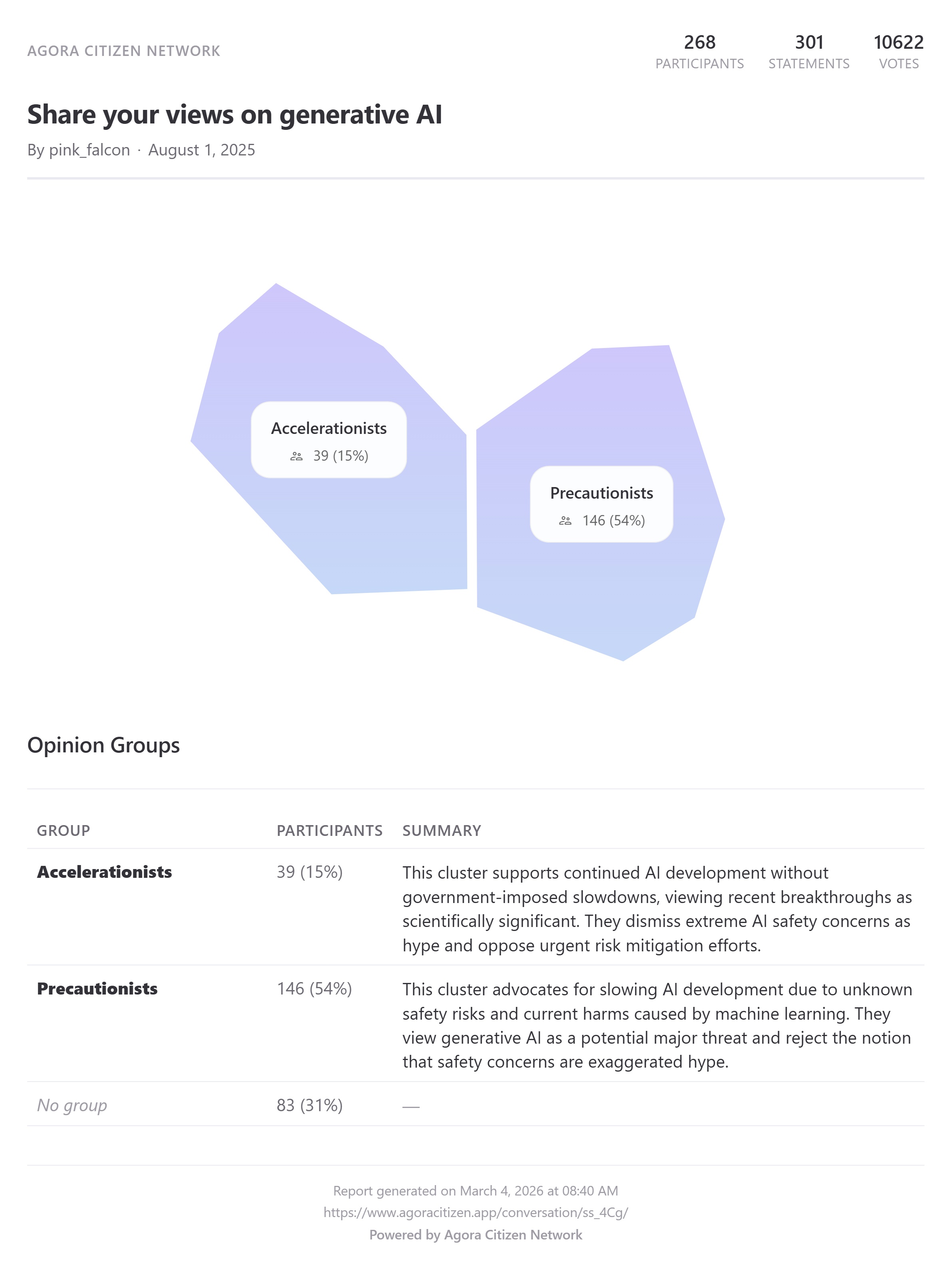
Facilitators can use the Analysis tab to show where participants broadly agree, where opinions split into different groups, which statements create the strongest divergence, and which ideas could become the focus of further discussion.
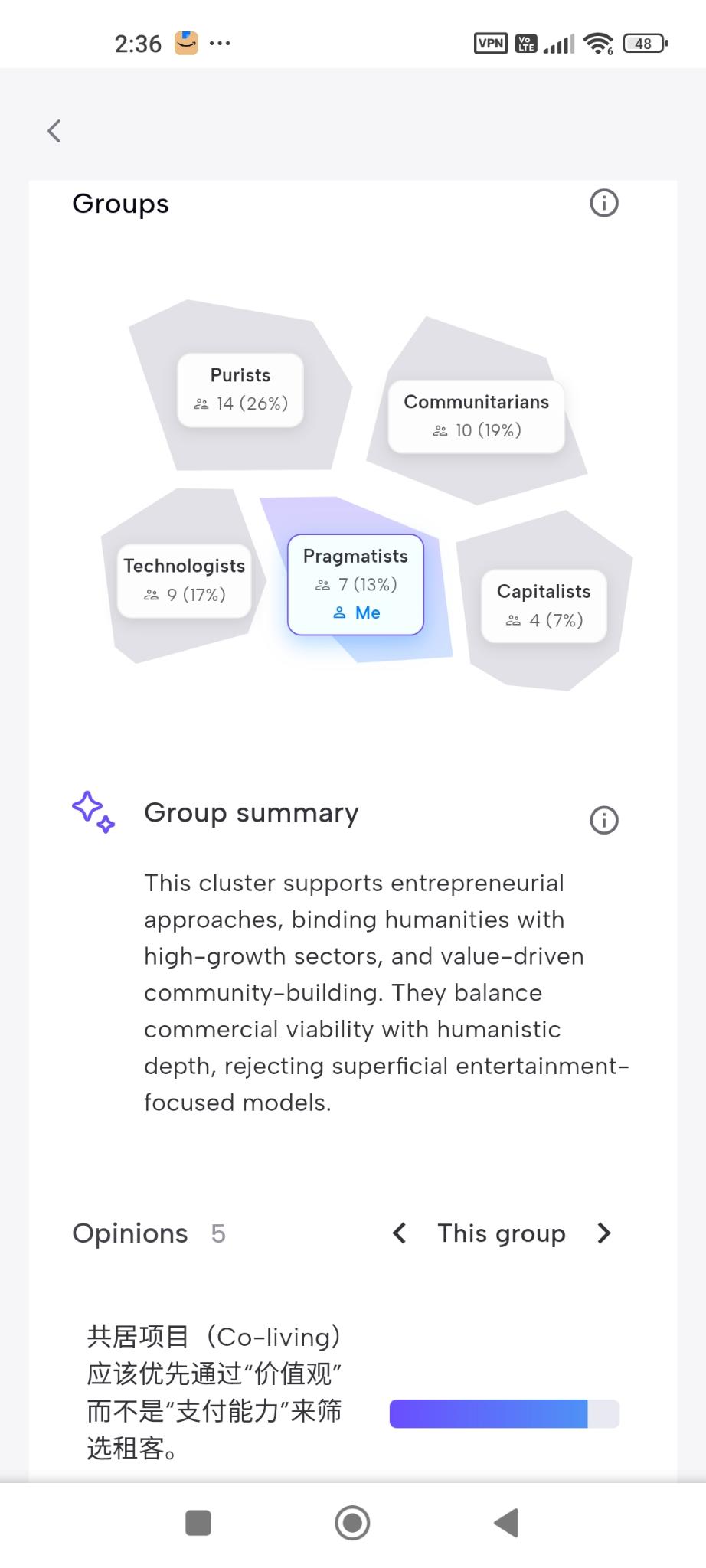
One important facilitation tip: if you are presenting the Analysis tab live, consider pausing the conversation first.
If participants continue voting while you are presenting, the analysis may change in real time. The number of opinion groups, group labels, or percentages may shift while people are looking at the screen, which can be confusing. Pausing the conversation gives everyone a stable snapshot to discuss.
You can always unpause later if you want to collect another round of input.
After the Event
Agora can also remain open after the event. This gives participants time to reflect, add opinions they did not have time to share, and respond to other perspectives.
Post-event results can help organizers understand what resonated, what divided the audience, and what topics deserve follow-up.
Using Agora for Deliberation Projects
For a deliberation project, Agora can support a longer participation process. It can be used in two main ways: Conversation Mode and Prioritization Mode.
For a deliberation project example, see Transforming Frustration into Collective Power, where Lyfe Catalyst used Agora during the #BloquonsTout mobilization in France to turn broad public frustration into a structured consultation, mapping shared priorities and points of disagreement across participants.
Conversation Mode
Use Conversation Mode when the goal is to gather opinions, map perspectives, and crowdsource ideas.
This is useful when the topic is still open and you want to understand what people think before narrowing down proposals. Participants can respond to seed statements, contribute their own opinions, and see how their views relate to others.
Conversation Mode is especially helpful for public consultations, community engagement, citizen assemblies, stakeholder dialogues, early-stage policy discussions, and identifying disagreement before a meeting.
For example, a consultation project might begin with qualitative interviews conducted by sociologists. The insights from those interviews can then be turned into seed statements for an open Agora conversation. This allows thousands of stakeholders to respond, add nuance, and help scale the listening process.
Agora can also be used before local assemblies. Participants contribute their views in advance, and facilitators use the opinion map to identify the most important points for in-person discussion.
Agora's opinion mapping is based on Red Dwarf, an open-source machine learning algorithm and a reimplementation of the original Pol.is math. The opinion clustering step is deterministic and auditable: it is based on pure patterns of agreement and disagreement, not language. LLMs are only used in the next step, to summarize the representative opinions of each cluster. For Agora Pro users, we also offer a Jigsaw Sensemaker report that maps the topics and subtopics of a conversation.
Prioritization Mode
Use Prioritization Mode when consensus has more or less emerged, or when you already have a clear set of proposals and need a ranked list of priorities.
In this mode, participants compare proposals and express how much they prefer one option over another. This helps the group move from open discussion to clearer collective priorities.
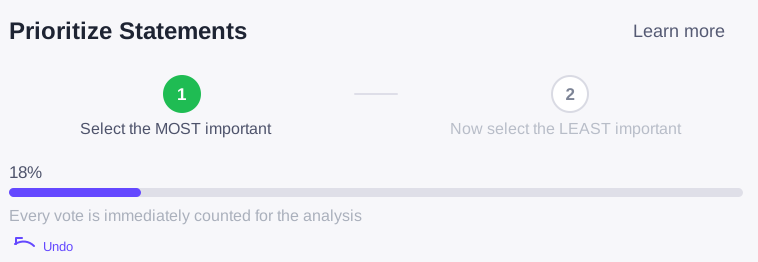
For rank voting, Agora uses Solidago. We also implement COCM to prevent collusion when prioritization is combined with a demographic survey or the opinion cluster data from an open Conversation Mode process.
Prioritization Mode is especially useful toward the end of a process, when facilitators want to understand which proposals have the strongest support.
For example, after workshops or assemblies have produced a shortlist of proposals, Agora can help the wider community rank them. The result is a clearer picture of what participants want decision-makers to prioritize.
Combining Agora with Other Tools
Agora does not need to be the only tool in a participation process. It can be combined with interviews, surveys, workshops, local assemblies, polling tools, reporting methods, or other civic technology platforms.
The right process depends on your context: the audience, the decision at stake, the timeline, the level of trust, and the type of outcome you need.
Agora also partners with other solutions, so it can be part of a broader participation and deliberation toolkit.
Facilitation Checklist
Before launching your Agora conversation, clarify:
- What decision or discussion will this process inform?
- Are you using Agora for an event or a longer deliberation project?
- Should you use Conversation Mode or Prioritization Mode?
- What seed statements will help surface meaningful differences?
- Are the statements easy to agree or disagree with?
- Does each statement contain only one opinion?
- When will you show the Analysis tab?
- Should the conversation be paused while presenting results?
- How will the outputs be used after the event or consultation?
- If you are planning an event, review the Tech4Nature case study.
- If you are designing a deliberation or consultation project, review the #BloquonsTout case study.
Ready to Get Started?
Agora works best when it is embedded in a thoughtful process. The design of the participation journey matters more than the tool itself.
If you want dedicated support choosing the right format, curating seed statements, combining Agora with other tools, or designing a full deliberation process, contact us.